


Quick Overview
The internet connects our world — but it also exposes us to new dangers. In 2025, cyber attacks powered by AI and deepfakes have surged, tricking even tech-savvy users through fake emails, cloned voices, and social media scams.
How to protect yourself from the Latest cybersecurity threats? stay safe online by using strong, unique passwords, enabling multi-factor authentication, keeping your devices updated, and verifying links before you click. Awareness and smart digital habits are your best defense.
In this guide, you’ll discover the latest cyber threats and practical ways to protect your data, privacy, and peace of mind.
What Are Modern Cybersecurity Threats?
Today’s digital threats go far beyond simple viruses. Attackers use advanced tools and psychological tricks to steal your data, money, and identity. Here are the most common risks facing internet users in 2025.

Phishing & Spear Phishing
Phishing emails pretend to come from trusted companies like PayPal or Google. They trick you into sharing login details or clicking malicious links.
Spear phishing goes further — it targets individuals or small businesses using personal details from social media or leaks.
Example: An email that looks like it’s from your bank asking you to “verify your account” — but the link leads to a fake site.
How to avoid phishing emails:
- Check sender addresses carefully.
- Hover over links to preview the real URL.
- Never share passwords via email.
Use spam filters and report suspicious messages.
Malware & Ransomware
Malware is malicious software designed to harm your computer or steal information. Ransomware encrypts your files and demands payment to unlock them — often in cryptocurrency.
Ransomware prevention 2025 tips:
- Regularly back up important files offline.
- Keep operating systems and software updated.
- Don’t download files from unknown sources.
- Use reputable antivirus software.
Deepfakes & AI Scams
With generative AI, attackers can now clone voices, faces, or writing styles. These AI scams often target freelancers, remote workers, or small business owners.
Example: You receive a video call from a “client” asking for a payment — but it’s an AI deepfake using stolen footage.
Protect yourself:
- Always verify identity through a second channel (email, phone, or video).
- Be cautious with urgent money or data requests.
- Don’t share personal media that could be used for impersonation.
Social Engineering
Social engineering tricks you into revealing confidential data. It could be a fake IT support call, a social media quiz, or even a friendly chat.
Stay alert:
If someone pressures you for information or acts “too helpful,” pause and verify. Genuine organizations never ask for your full password or OTP over the phone.
Unsafe Wi-Fi & IoT Risks
Public Wi-Fi networks are easy to hack. Meanwhile, smart home devices (IoT) often lack strong security. Attackers can exploit them to access your network.
Secure your home Wi-Fi:
- Use WPA3 encryption and a strong router password.
- Avoid banking or sensitive work on public Wi-Fi.
Keep IoT devices updated and isolated from main networks.
How to Identify Cyber Threats Early
Early detection can stop a small issue from becoming a disaster. Learn the red flags and quick checks that reveal a potential cyber threat.
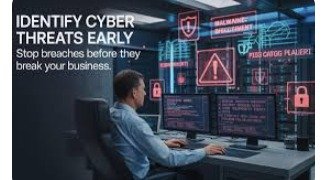
Common Red Flags
- Unexpected emails asking for login info or payments.
- Pop-ups claiming “Your computer is infected!”
- Slow or freezing devices without reason.
- Unknown apps or extensions installed suddenly.
- Accounts sending messages you didn’t write.
Quick Verification Checklist
- Check the sender: Does the domain match the official site?
- Look for HTTPS: Secure sites use https:// and a lock icon.
- Confirm through another source: Call or message the organization directly.
- Watch for urgency: Scammers use fear and deadlines to rush decisions.
Trust your instincts: If it feels off, stop and verify.
Step-by-Step: How to Protect Yourself
Here’s a practical cybersecurity routine you can start today.
1. Use Strong, Unique Passwords
Use long passwords with a mix of letters, numbers, and symbols. Never reuse passwords across sites.
Tip: Combine random words — “Coffee$ Blue! Train42 is stronger and easier to remember.
2. Use a Password Manager
A password manager stores and encrypts all your logins. You only need one master password.
See: Best password managers
Benefits:
- Auto-fills secure logins.
- Generates strong passwords.
- Protects against phishing by autofilling only on legitimate sites.
3. Enable Multi-Factor Authentication (MFA)
MFA adds an extra layer — even if someone steals your password, they can’t log in without the verification code.
MFA Method | How It Works | Pros | Cons |
| SMS Codes | Code sent via text | Easy to set up | Vulnerable to SIM swaps |
| Authenticator Apps | App-generated codes | Secure & offline | Needs setup |
| Hardware Keys | Physical device (e.g., YubiKey) | Most secure | Costs extra |
Best practice: Use authenticator apps or hardware keys instead of SMS.
4. Keep Software and Devices Updated
Updates patch security holes. Enable automatic updates for your OS, browser, and apps.
Tip: Outdated plugins (like Flash or Java) are top hacker targets — uninstall what you don’t use.
5. Use Antivirus and VPN
Antivirus software scans for and removes malware. Choose one with real-time protection and frequent updates.
VPN (Virtual Private Network) encrypts your internet traffic — especially useful on public Wi-Fi.
Learn more: How VPNs work
Together they:
- Hide your IP address.
- Block malicious downloads.
- Prevent data interception.
6. Practice Safe Browsing
- Don’t click suspicious ads or “free download” links.
- Bookmark trusted websites for banking or shopping.
- Use privacy-focused browsers and extensions.
- Clear cache and cookies regularly.
7. Verify Emails and Links Before Clicking
If you get an urgent message claiming “account suspended” or “payment required,” pause.
Hover over the link — if the URL looks strange or mismatched, don’t click.
Use online tools like VirusTotal to check suspicious links or attachments.
8. Secure Your Home Network
- Rename your router’s default name (SSID).
- Change the admin password immediately.
- Disable remote management unless needed.
- Create a separate Wi-Fi for guests or smart devices.
9. Back_Up Your Data
Follow the 3-2-1 rule:
- 3 copies of your data
- 2 different storage types (e.g., local + cloud)
- 1 copy stored offline
This ensures you can recover from ransomware or device loss.
Quick Action Checklist — If You Think You’ve Been Hacked
- Disconnect from the internet immediately.
- Run a full antivirus scan.
- Change passwords from a clean device.
- Enable MFA on all important accounts.
- Check bank and email activity for suspicious actions.
- Notify your bank or employer if sensitive data was exposed.
Report the incident to local cybercrime or consumer protection authorities.
Future Trends in Cybersecurity
As AI evolves, so do cyber threats. Deepfake scams, synthetic identities, and automated phishing are rising fast.
But defense technology is advancing too — AI-driven firewalls, behavior-based detection, and passwordless authentication will soon be standard.
The best protection remains human awareness. In 2025 and beyond, your digital hygiene is as important as locking your front door.
𝕂𝕖𝕪 𝕋𝕒𝕜𝕖𝕒𝕨𝕒𝕪𝕤:
- Strong passwords and MFA are must-haves for online safety.
- Keep everything updated and stay alert for phishing.
- Use antivirus, VPN, and regular backups to stay secure.
FAQs:
1. How can I tell if an email is phishing?
Look for spelling errors, urgent tone, and mismatched URLs. Genuine companies never ask for passwords or payment info by email.
2. Is antivirus still necessary?
Yes. Modern antivirus detects ransomware, spyware, and other evolving threats. Keep it updated for best protection.
3. What is MFA and why should I use it?
Multi-factor authentication adds a second verification step, making it much harder for attackers to access your accounts.
4. How do I prevent ransomware attacks?
Keep backups, avoid clicking unknown attachments, and update your system regularly.
5. What’s the safest way to use public Wi-Fi?
Use a VPN, avoid banking or sensitive work, and disable automatic file sharing.
6. How can I protect my identity online?
Limit personal information shared publicly, use strong passwords, and monitor your credit or account activity regularly.
Resources & Further Reading
- U.S. Cybersecurity and Infrastructure Security Agency (CISA)
- National Cyber Security Centre (UK)
- StaySafeOnline.org (National Cyber Security Alliance)
Author Credentials & Last Updated
Written by Mamun Khan Rabbi, Digital Marketing & Prompt Engineering Specialist focused on AI tools, data privacy, and cybersecurity awareness.
Last updated: October 2025
One comment
Nice Information Guys