


Finding the best computer tablets for seniors can feel like searching for the perfect puzzle piece it needs to fit just right. Seniors today aren’t afraid of technology; they just want devices that are easy, fun, and helpful. Tablets make that possible! They’re lighter than laptops, bigger than phones, and come with features that help older adults stay connected with family, read their favorite books, and even manage health apps easily.
According to Pew Research, over 64% of adults aged 60+ now use tablets for entertainment, video calls, and online shopping? That’s because modern tablets have friendly interfaces, large icons, and simple setup processes. You don’t need to be a “techie” to use one just a few taps and you’re in!
Many people ask, “Are tablets really simple enough for seniors?” The answer is yes! These days, senior-friendly tablets come with features like voice assistants, large fonts, eye-friendly brightness, and easy navigation menus. Even beginners can set them up in minutes without needing help.
If you’d like to explore more guides and step-by-step tutorials on modern devices, check out the Tech Blogs section on Tecnish for easy-to-follow tech tips and buying advice.
What to Look for in a Tablet for Seniors
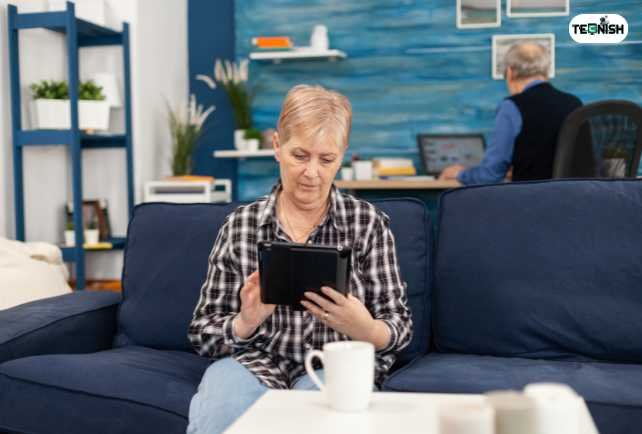
Choosing from the best computer tablets for seniors isn’t about buying the fanciest one. It’s about finding a tablet that matches your comfort, eyesight, and budget. Let’s look at the most important features seniors should consider before buying:
Screen Size & Brightness
A large, bright display is essential. Look for large-screen tablets for seniors with at least a 10-inch display and around 400 nits of brightness. Bigger screens reduce eye strain and make text easier to read. Some tablets also have tablets with large fonts and bright screens, which allow you to zoom text, change contrast, and enable “dark mode” for easier nighttime use.
If you’re a Samsung user, you might find this guide on how to reboot a Samsung tablet in 2025 helpful it walks you through the process step by step.
Battery Life
No one wants a device that dies halfway through a movie or video call. Pick tablets with long battery life at least 10–12 hours per charge. The Apple iPad 10th Gen and Amazon Fire HD 10 are great examples that last a full day of use.
Ease of Navigation
Seniors appreciate simple interfaces. Choose easy-to-use tablets for seniors that offer customizable home screens, fewer app icons, and voice navigation options. Many tablets designed for elderly users even allow you to set up “Easy Mode,” showing only essential apps like Calls, Photos, and Messages.
Voice Assistants & Accessibility
Voice controls are a lifesaver! Tablets with voice control for elderly let you open apps, call contacts, or even ask about the weather hands-free. Accessibility settings like magnifiers, hearing aid pairing, and text-to-speech make technology feel friendly and personal.
Weight & Portability
Lightweight tablets (under 1.2 lbs) are best for seniors with arthritis or weak wrists. Compact tablets are easier to hold for long reading or gaming sessions.
Price-to-Performance Ratio
More expensive doesn’t always mean better. Focus on affordable tablets for seniors that balance value and function. Generally, great models cost between $150–$400 and can last several years.
Here’s a quick checklist before buying:
✅ Bright, large screen
✅ Long battery life
✅ Lightweight and portable
✅ Voice assistant support
✅ Easy navigation menu
✅ Reasonable price
With these basics in mind, you’re ready to explore the best computer tablets for seniors models built to make technology fun, friendly, and frustration-free.
To compare the latest releases, visit our Computers and Laptops category where we review and rate trending tablets each season.
Understanding Senior Needs and Tech Comfort Levels
Not all seniors use technology the same way. Some are just beginning, while others use their devices daily. The beauty of the best computer tablets for seniors is that there’s one for every comfort level.
Beginners (New to Tech)
If you’re new to technology, start simple. Devices like GrandPad are simple tablets for older people built for ease. They have large icons, preloaded family contacts, and simplified apps like “Call,” “Email,” and “Photos.” These are truly beginner-friendly tablets for seniors that remove the fear of technology. No confusing setup just tap and enjoy.
Intermediate Users
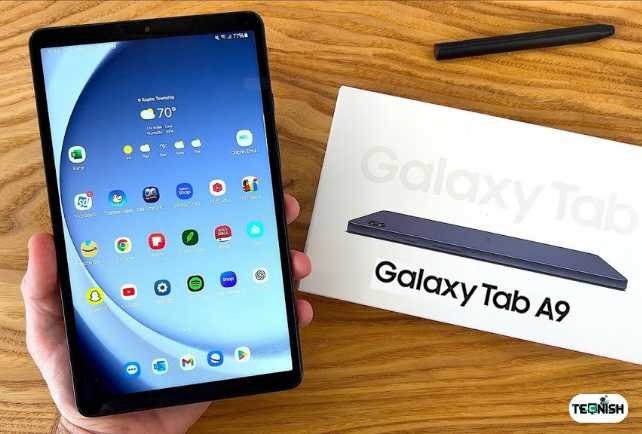
For those who already use smartphones or laptops a bit, options like Amazon Fire HD 10 or Samsung Galaxy Tab A9 are perfect. They come with clear displays, strong speakers, and tablets with senior accessibility settings. The interface is customizable, and they also connect easily with tablets compatible with hearing aids a big plus for clear sound.
Advanced Seniors
Tech-savvy seniors who already enjoy gadgets will love Apple’s iPad 10th Gen or iPad Air, considered the best iPad for seniors 2025. They’re powerful, responsive, and loaded with advanced features like FaceTime, Split View, and superior graphics for streaming or reading.
No matter where you are on your digital journey, there’s something out there for you. The right tablet can make your days brighter, your family closer, and your hobbies more enjoyable. Technology isn’t just for the young anymore it’s for everyone in the technology for aging population era.
Want more senior-friendly tech tips and guides? Visit the main Tecnish homepage to explore tutorials, comparisons, and the latest tech trends made simple.
Best Overall Tablet for Seniors in 2025
When it comes to the best computer tablets for seniors, one model stands out for its balance of performance, simplicity, and reliability the Apple iPad 10th Gen. This iPad is designed to make technology easy for everyone, especially older adults who want a smooth, frustration-free experience.
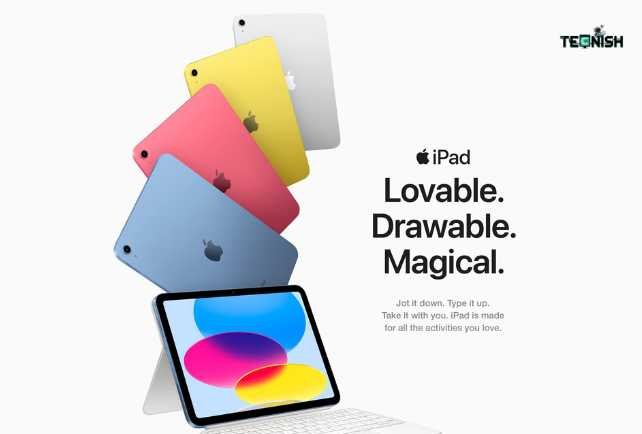
The iPad’s 10.9-inch Retina display is bright, crisp, and perfect for reading, watching movies, or video chatting. It’s among the large-screen tablets for seniors that make everyday tasks feel effortless. Plus, you can adjust tablets with large fonts and bright screens settings to customize text size and display brightness to your liking.
Performance-wise, it’s powered by the A14 Bionic chip, which means fast browsing and app loading no lagging or freezing. And with a 10-hour battery life, it easily ranks among the tablets with long battery life, allowing seniors to enjoy their favorite activities without constant charging.
Here’s a quick look at what makes it special:
| Pros | Cons |
| Easy-to-use interface | Slightly pricier |
| Bright, large display | Accessories cost extra |
| Great for video calls | iOS learning curve for some |
| Long-lasting battery | Limited customization |
The iPad’s front camera is another big plus. With 12MP ultra-wide quality, it’s one of the tablets with good front camera features for clear video chats perfect for staying in touch with family through FaceTime or Zoom.
It’s also compatible with the Apple Pencil and keyboard case, turning it into a mini laptop if needed. This is why it’s often listed as the best iPad for seniors 2025 reliable, simple, and fun to use.
If you’d like to explore more Apple and Android device comparisons, visit our Computers and Laptops section for up-to-date insights and buying tips.
Best Budget Tablet for Seniors
If you’re looking for a great deal, the Amazon Fire HD 10 easily wins the title of best budget tablet for seniors in 2025. It’s proof that affordability and quality can go hand-in-hand. This tablet is built with simplicity in mind, making it perfect for tablets for non-tech-savvy seniors or anyone who prefers an uncomplicated device.
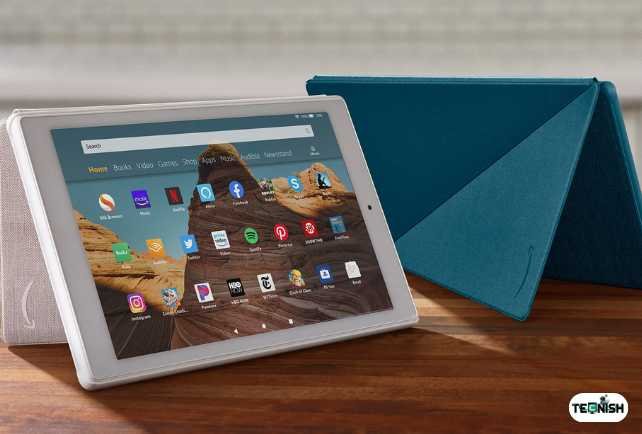
With its 10.1-inch Full HD display, the Fire HD 10 delivers crisp visuals ideal for streaming shows, browsing photos, or reading eBooks. It’s lightweight, easy to hold, and has one of the most straightforward interfaces available ideal for easy setup tablets for seniors who don’t want tech headaches.
A key highlight is Alexa. The built-in voice assistant makes this one of the top tablets with voice control for elderly users. You can say things like “Alexa, open YouTube” or “Alexa, call Sarah,” and it’ll do it instantly no buttons, no confusion.
| Pros | Cons |
| Budget-friendly | Limited to Amazon app store |
| Strong voice control | Slightly less bright display |
| Lightweight and durable | Not as powerful as iPad |
| Long battery life | Ads on lock screen (can be removed) |
What makes the Fire HD 10 stand out in the senior tablet comparison is how it keeps things simple while offering great performance. For seniors on a budget, it’s a wonderful alternative to the iPad.
To stay up to date with similar affordable gadget tips, check out the latest posts on our Tech News page.
Best Tablet for Vision-Impaired Seniors
Vision challenges are common as we age, but that doesn’t mean giving up on technology. Some of the best computer tablets for seniors come equipped with features designed to help those with low vision see clearly and comfortably.
The Samsung Galaxy Tab A9 and Apple iPad Air top this list because of their stunning screens and strong accessibility options. These tablets designed for elderly users feature tablets with large fonts and bright screens, screen readers, and voice controls that make them ideal for visually impaired users.
The iPad Air, in particular, includes tools like Zoom, Magnifier, and VoiceOver, which narrates everything on the screen. Meanwhile, the Galaxy Tab A9 offers high contrast themes, font scaling, and excellent screen brightness adjustment options.
If you often read for long hours, look for tablets with eye comfort mode this feature filters out blue light to reduce strain. Seniors who enjoy reading can also explore best tablet for reading and entertainment options like Kindle Fire HD, which has eBook integration and audiobook support.
Here are a few visibility tips for seniors:
- Use dark mode to ease eye strain.
- Increase text contrast and font size.
- Enable voice feedback to read messages aloud.
Want more simple guides like this? Visit the Tech Blogs on Tecnish for more senior-friendly technology articles.
Best Tablet for Hearing-Impaired Seniors
For those with hearing challenges, finding the best computer tablets for seniors means prioritizing clear sound and compatibility with hearing aids. Thankfully, several models now cater perfectly to these needs.
The Apple iPad 10th Gen and Samsung Galaxy Tab S9 are among the best tablets compatible with hearing aids, offering Bluetooth connectivity for seamless pairing. That means you can enjoy crystal-clear sound whether you’re watching a video, joining a Zoom call, or listening to music.
Both tablets also have strong stereo speakers with enhanced volume range, making voices sound sharper and cleaner. You can even adjust balance between left and right audio channels for better clarity.
Here’s a quick setup tip for seniors with hearing aids:
- Go to Settings → Accessibility → Hearing Devices.
- Turn on Bluetooth and pair your hearing aid.
- Adjust audio levels and balance as needed.
If you enjoy staying connected with family, choose tablets for video calls with family that support apps like FaceTime, Zoom, or WhatsApp. The iPad’s 12MP front camera makes it one of the best for video chatting without background noise or echo.
For more hands-on how-tos, don’t miss helpful tutorials on Tecnish’s main site your trusted source for easy tech made simple.
Best Tablet for Video Calls with Family
Nothing beats seeing your loved ones’ smiles especially when distance keeps you apart. That’s why the best computer tablets for seniors often focus on easy video chatting. The top performers in this area are the Apple iPad 10th Gen and Samsung Galaxy Tab S9, both offering crystal-clear cameras and intuitive apps.
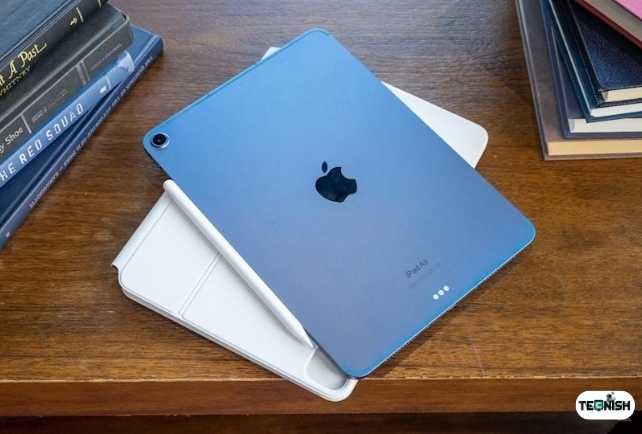
The iPad’s 12MP front-facing camera makes every FaceTime call look natural and bright, while Samsung’s ultra-wide camera keeps everyone in frame during a family chat. These are some of the tablets with good front camera options that help seniors feel closer to loved ones with just one tap.
For software, FaceTime, Zoom, and Google Meet are all pre-installed or easy to download. You can even connect Bluetooth earphones or tablets compatible with hearing aids for clearer audio. And for extra ease, voice assistants like Siri or Google Assistant can launch calls when you simply say, “Call my daughter.”
Here are a few quick tips for smooth calling:
- Keep the tablet upright on a stand.
- Ensure strong Wi-Fi for stable video.
- Mute when not speaking in group calls to avoid echoes.
When comparing iPad vs Android for seniors, iPads are slightly easier for video calling, while Androids offer more flexibility and lower prices. Either way, both make staying connected a joy.
For step-by-step setup guides and troubleshooting help, browse our friendly tutorials on the Tech Blogs page.
Best Tablet for Reading and Entertainment
If you love reading or relaxing with movies, the best computer tablets for seniors can turn every moment into pure enjoyment. The Amazon Fire HD 10, iPad Mini, and Samsung Galaxy Tab A9 are excellent for this. They’re lightweight, bright, and have modes that protect your eyes perfect for binge-reading or movie marathons.
The Fire HD 10 is especially popular for entertainment lovers. It lets you access Kindle eBooks, stream Prime Video, and listen to audiobooks all from one screen. Meanwhile, the iPad Mini stands out for its compact size it’s easy to hold with one hand, making it one of the most convenient tablets for older adults who read before bed.
If you spend a lot of time on YouTube or Netflix, activate eye comfort mode to reduce blue light. The iPad’s True Tone display automatically adjusts color balance to match your surroundings another reason why Apple makes the best tablet for reading and entertainment experiences.
To explore more reading-friendly devices, check our latest reviews in the Computers and Laptops section. You’ll find in-depth guides for bookworms, movie fans, and music lovers alike.
Easy-to-Use Tablets for Complete Beginners
If you’re new to technology, don’t worry you’re not alone! The market now offers plenty of easy-to-use tablets for seniors that make technology feel friendly and familiar.
The standout here is GrandPad, a tablet specifically designed for older adults. It’s simple, secure, and comes preloaded with family contacts. You can make video calls, view shared photos, and play games all with one touch. It’s the ultimate simple tablet for older people who want to stay connected without confusion.
Another excellent option is the Amazon Fire HD 8 Plus. It’s one of the best easy setup tablets for seniors, offering clear instructions, Alexa voice control, and an affordable price tag. Everything feels intuitive, even for beginners who might have never used a touchscreen before.
Some tablets even allow installation of senior-friendly launchers, which show big icons and limited apps, removing unnecessary clutter. That makes them perfect tablets for non-tech-savvy seniors who just want to enjoy the basics calling, reading, and browsing.
For more helpful beginner guides and how-tos, explore our main tech tutorials at Tecnish, where we simplify technology for everyone.
Tablets with the Best Battery Life for Seniors
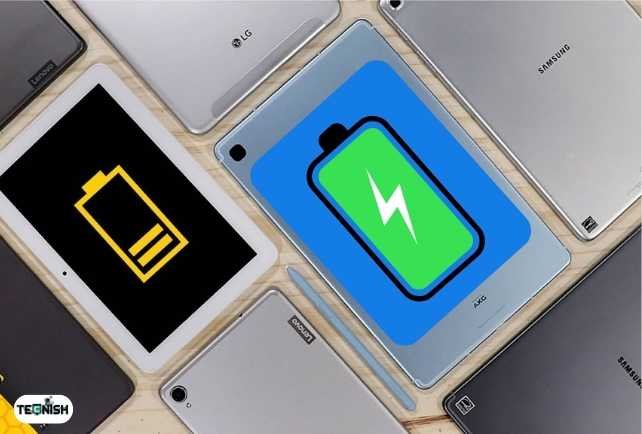
Imagine reading, chatting, and watching movies all day without recharging. That’s what the best computer tablets for seniors with strong batteries offer convenience and freedom.
Tablets with excellent endurance include the Lenovo Tab P11 Plus, Apple iPad Air, and Amazon Fire HD 10 Plus. Each can last 10 to 15 hours of mixed use, ranking among the tablets with long battery life that seniors appreciate for their reliability.
Here’s a quick comparison of some 2025 battery champs:
| Model | Battery Life (Approx.) | Charging Type |
| Apple iPad Air | 10 hours | USB-C Fast Charge |
| Amazon Fire HD 10 | 12 hours | USB-C |
| Lenovo Tab P11 Plus | 15 hours | Fast Charger |
| Samsung Galaxy Tab A9 | 11 hours | Adaptive Charging |
To keep your tablet lasting longer:
- Lower screen brightness when indoors.
- Close unused apps in the background.
- Keep it updated newer versions often improve battery efficiency.
If you love long-lasting devices, you’ll find more detailed comparisons in the Computers and Laptops category, where we review tablets that balance power and portability.
Best Tablet Accessories for Seniors
Even the best computer tablets for seniors can get better with the right accessories. Think of them as comfort upgrades that make daily use more enjoyable and stress-free.
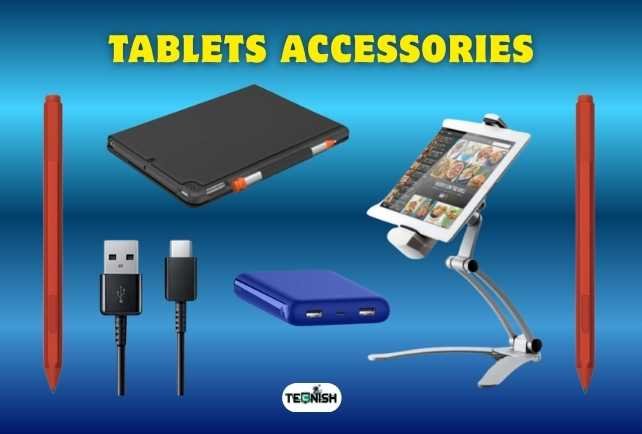
For instance, a stylus pen is great for seniors who prefer handwriting over typing. The Apple Pencil or Samsung S Pen adds precision and control helpful for signing documents, doodling, or jotting down notes. A tablet stand is another must-have; it keeps the screen upright during video calls or while reading recipes in the kitchen.
If typing feels easier on real keys, lightweight Bluetooth keyboards can turn your tablet into a mini-laptop. Add a protective case to prevent drops or scratches a simple but smart investment for longevity.
Here’s a quick accessories list worth checking out:
- Adjustable tablet stand
- Bluetooth keyboard with large keys
- Screen protector (matte finish preferred)
- Ergonomic stylus with a rubber grip
- Shockproof tablet case
These accessories make senior-friendly tablets even more user-friendly, giving seniors a smooth, confident experience. You can find detailed reviews and setup guides in the Tech Blogs section, where we break down what works best for different user needs.
iPad vs Android vs Amazon Fire: Which Is Better for Seniors?
Choosing between iPad vs Android for seniors can feel tricky at first, but it mostly depends on personal comfort and what you want to do with the device.
Let’s make it simple with this quick comparison:
| Feature | iPad (Apple) | Android Tablets | Amazon Fire |
| Ease of Use | Very simple & clean | Flexible but can feel complex | Extremely simple |
| Price Range | Mid to high | Low to high | Budget-friendly |
| App Options | Vast App Store | Huge variety | Limited to Amazon apps |
| Voice Assistant | Siri | Google Assistant | Alexa |
| Updates | Long-term support | Varies by brand | Frequent updates |
| Best For | Everyday use, video calls | Customization lovers | Budget & beginners |
If you want the easiest interface and longest lifespan, the iPad wins hands down. But if you prefer more customization or lower prices, Android devices are great tablets for older adults. Meanwhile, the Amazon Fire HD line remains the top choice among affordable tablets for seniors who just want to browse, stream, and chat.
For an in-depth look at setup, updates, and brand differences, visit the Computers and Laptops category, where we compare devices side-by-side to help you make smart tech choices.
Setup and Safety Tips for Seniors Using Tablets
Once you’ve picked your device, setting it up safely is the next step. Even the best computer tablets for seniors can be overwhelming at first, but a few quick steps make everything simple and secure.
Here’s how to get started:
- Charge fully before setup.
- Connect to Wi-Fi and log into your account (Apple ID, Google, or Amazon).
- Enable Accessibility features like large text, high contrast, or voice control.
- Install essential apps (email, video calls, news, games).
- Set up passcodes or biometric locks for privacy.
Safety is just as important as setup. Avoid clicking suspicious links, and don’t share personal information with unknown callers or websites. Many modern tablets also have tablets with senior accessibility settings, making them easier to manage without technical know-how.
If you ever need to troubleshoot, such as learning how to reboot a Samsung tablet, check our helpful guide: How Do I Reboot a Samsung Tablet (2025 Complete Guide). It walks you through every step clearly and safely.
For more beginner tutorials, the Tech News section also shares quick updates and how-to guides tailored for seniors and casual users alike.
Where to Buy the Best Tablets for Seniors (2025)
Finding the best computer tablets for seniors is only half the job knowing where to buy them is just as important. Stick to trusted retailers that offer warranties, easy returns, and good after-sale service.
Online Stores to Consider:
- Amazon – Great prices and frequent deals.
- Best Buy – Reliable warranties and expert advice.
- Apple Store – Best for authentic iPads and accessories.
- Samsung Online – Ideal for Android fans.
Look out for bundle deals, especially around holidays. Many stores offer discounts on tablets for older adults paired with accessories like styluses or cases. Always double-check seller credibility, reviews, and return policies before purchasing.
If you prefer detailed product recommendations and safe buying tips, explore Tecnish’s Computers and Laptops section it’s packed with verified suggestions and senior-friendly shopping advice.
Wrapping up: Making Tech Enjoyable for Seniors
Technology isn’t just for the young. The best computer tablets for seniors open doors to connection, creativity, and independence. From reading the news and video calling family to watching YouTube or playing games, tablets bring joy to everyday life.
Whether you prefer an iPad, Android, or Amazon Fire, each has its charm what matters most is comfort and confidence. Remember, learning is easier than it looks. Within days, even beginner-friendly tablets for seniors can become trusted daily companions.
And as you explore the world of technology for aging population, remember that every new click or tap is a small step toward empowerment. Stay curious, stay connected, and enjoy every digital moment.
For more friendly advice, news, and tutorials, visit our main Tecnish website your home for smart and simple tech.
Frequently Asked Questions (FAQs)
1: What’s the easiest tablet for seniors to use?
The Apple iPad 10th Gen and GrandPad are the easiest to use, thanks to their clean layout and voice control.
2: How do I teach my elderly parents to use a tablet?
Start with simple apps like video calls and photo galleries. Encourage them to explore at their own pace.
3: Can tablets replace computers for older adults?
Yes! Many tablets for older adults can perform nearly all computer tasks, like browsing, emailing, and streaming.
4: Which tablet has the largest and clearest display?
The Samsung Galaxy Tab S9 and iPad Air are among the large-screen tablets for seniors with crisp, bright visuals.
5: Are there tablets made specifically for seniors?
Yes devices like the GrandPad are tablets designed for elderly users with simple layouts and large buttons.
Final Word
If you’ve been searching for the best computer tablets for seniors, now you know there’s a perfect option for everyone, from tech beginners to experienced users. Embrace technology with confidence and comfort, and enjoy every tap, scroll, and smile it brings. For more amazing insightful Tech news and Blogs, Visit Tecnish.