

Motorola has been a trusted name in mobile technology for decades. From classic flip phones to modern smartphones, the brand has always tried to stay simple, reliable, and user-friendly. Recently, the term Motorola Signature has been getting attention in tech news, blogs, and user discussions. Many people are asking one simple question: What exactly is Motorola Signature, and why does it matter?
In easy words, Motorola Signature represents Motorola’s special approach to design, software, and user experience. It is not just about one phone model. Instead, it reflects a style, a promise, and a set of features that Motorola wants users to recognize instantly. Think of it like a personal handwriting style—simple, clean, and easy to understand.
This news tips article will guide you through everything you need to know about Motorola Signature. We will cover the latest news, explain the meaning behind it, and share helpful tips in very simple language. Whether you are a long-time Motorola fan or someone thinking about buying a new phone, this guide is written just for you.
Understanding Motorola Signature
What “Motorola Signature” Means
Motorola Signature is not just a logo or a fancy marketing word. It is a combination of Motorola’s core values: clean software, practical design, and smooth performance. When Motorola uses the word “Signature,” it usually means the phone or service carries the brand’s unique identity.
In simple terms, it means “This feels like Motorola.” From the way the phone looks to how it works when you unlock it, everything follows a certain style. Motorola wants users to feel comfortable, not confused. No heavy apps, no complicated menus—just a smooth and clean experience.
This approach is very helpful for people who want a phone that works well without needing too much setup. You turn it on, sign in, and start using it. That is the heart of Motorola Signature.
Why Motorola Uses the Term Signature
Every big brand needs something that makes it different. For Motorola, the Signature idea helps show what makes their products special. While some brands focus on flashy features, Motorola focuses on balance and ease.
The word “Signature” also builds trust. It tells users that the product follows Motorola’s long-standing rules: quality, reliability, and simplicity. Over time, users start to recognize this style and feel confident choosing Motorola again.
How Signature Stands Out in the Tech World
In today’s smartphone market, many phones look the same. Big screens, shiny backs, and similar camera layouts are everywhere. Motorola Signature stands out by keeping things practical.
Instead of adding too many features, Motorola chooses useful ones. Gestures like twisting your wrist to open the camera or chopping motion to turn on the flashlight are perfect examples. These small things become part of the Motorola Signature experience.
Motorola Signature in Recent News
Latest Announcements and Updates
Recently, Motorola has been in the news for refreshing its product lineup with phones that highlight the Signature experience. New models focus on clean Android versions, better battery life, and improved cameras without making the phone too expensive.
Tech news websites often mention Motorola Signature when talking about software updates and user experience. Motorola continues to promise fewer bugs, smoother updates, and longer support periods.
This is good news for users who want stability instead of constant changes.
Motorola Signature and New Smartphone Launches
Many of Motorola’s latest smartphones clearly show the Signature idea. From budget phones to premium models, the same design language and software philosophy are present.
During launch events, Motorola often talks about “pure Android with thoughtful additions.” This line is closely connected to the Signature identity. It tells users they will not be overwhelmed by unnecessary apps or ads.
Industry Reactions and Media Buzz
Tech reviewers usually praise Motorola for sticking to its roots. While some critics say Motorola plays it safe, many users actually prefer this calm and reliable style.
In news articles and reviews, Motorola Signature is often linked with words like clean, simple, and user-friendly. That is exactly what many users think a smartphone should be.
Motorola Signature Phones Explained
Design Philosophy Behind Signature Devices
Motorola Signature phones are designed to feel natural in your hand. The curves, button placement, and weight are carefully balanced. Motorola believes a phone should be comfortable, not just beautiful.
Instead of sharp edges, most Motorola phones have smooth curves. This makes them easier to hold for long periods. The design may not shout for attention, but it quietly does its job well.
This design philosophy is part of Motorola Signature because it focuses on real-life use, not just showroom looks.
Build Quality and Premium Materials
Even in mid-range phones, Motorola tries to use good materials. You may see vegan leather backs, strong plastic frames, or water-repellent coatings. These details matter in daily life.
Motorola Signature does not always mean expensive glass or metal. It means smart choices that improve durability and comfort.
User Experience and Software Feel
The moment you turn on a Motorola phone, the Signature experience begins. The interface is clean, icons are simple, and menus are easy to understand.
There are no confusing pop-ups or forced apps. Everything feels light and smooth. This is especially helpful for new smartphone users or people who just want things to work.
Motorola Signature and Android Experience
Clean Android and Signature Touches
One of the strongest parts of Motorola Signature is its clean Android experience. Motorola is well-known for offering near-stock Android, which means the software looks and feels very close to what Google originally designed. For many users, this is a big advantage. There are no heavy skins, no confusing layouts, and no unnecessary visual changes that slow the phone down.
However, Motorola does not leave Android completely untouched. Instead, it adds small but very useful features that improve daily use. These additions are what make the experience “Signature.” For example, Moto Actions allow you to use simple gestures to perform tasks quickly. A quick chop turns on the flashlight, and a wrist twist opens the camera. These actions save time and feel natural after a few days of use.
Motorola also focuses on smooth transitions and fast response times. Apps open quickly, scrolling feels fluid, and multitasking is easy. This makes Motorola Signature phones ideal for people who want a stress-free smartphone experience.
Motorola Exclusive Features
Motorola Signature includes several exclusive features that are simple but powerful. Moto Display shows notifications in a clean and minimal way without waking up the entire screen. This helps save battery while keeping you informed.
Another popular feature is Peek Display, which lets you preview notifications with a tap. You can decide whether to open them or ignore them, all without unlocking your phone. These features are not flashy, but they are very practical.
Motorola also includes Smart Assistant tools that learn from your habits. For example, the phone can suggest actions based on your location or time of day. These tools quietly work in the background, making your phone feel smarter without being intrusive.
Software Updates and Security
Motorola has improved its software update strategy in recent years. Many Signature phones now receive regular security updates and at least one or two major Android version upgrades.
Security is another key part of Motorola Signature. Features like fingerprint sensors, face unlock, and secure folders help protect your data. Motorola also works closely with Google to include the latest Android security patches.
For users, this means peace of mind. Your phone stays protected, stable, and reliable over time.
Motorola Signature for Business and Professionals
Enterprise-Level Features
Motorola Signature is not only for everyday users but also for professionals and businesses. Motorola offers features that support work-related tasks, such as secure email access, device management tools, and compatibility with business apps.
Many Motorola phones support Android Enterprise, making them easy to manage in office environments. IT teams can control settings, install apps, and protect company data remotely.
This makes Motorola Signature devices a good choice for employees who need reliable phones for work without complexity.
Security and Data Protection
Security is very important for business users. Motorola Signature phones include features like secure boot, encrypted storage, and regular security patches. These tools protect sensitive information such as emails, documents, and contacts.
Motorola also avoids unnecessary background apps that could create security risks. Fewer apps mean fewer chances for problems.
For professionals, this clean and controlled environment is a big advantage.
Productivity Tools
Motorola phones support productivity features like split-screen mode, fast app switching, and external display support on some models. This allows users to multitask easily.
Whether you are checking emails, joining video calls, or editing documents, Motorola Signature helps you stay focused and efficient.
Motorola Signature Camera Technology
Camera Hardware Highlights
Motorola Signature phones usually focus on balanced camera hardware. Instead of chasing extremely high megapixel numbers, Motorola chooses sensors that work well in real-life situations.
Most Signature phones offer reliable main cameras, useful ultra-wide lenses, and good selfie cameras. The goal is not to impress on paper, but to deliver consistent results.
This approach works well for everyday photography like family photos, travel shots, and social media posts.
AI and Software Enhancements
Motorola uses artificial intelligence to improve photos automatically. AI helps adjust lighting, colors, and sharpness based on the scene. You do not need to be a photography expert to take good pictures.
Features like Night Vision help in low-light conditions, while portrait modes add a soft background blur. These tools are easy to use and do not require complicated settings.
This simplicity is a core part of Motorola Signature.
Tips for Better Photos
To get the best results from a Motorola Signature camera:
- Clean the camera lens regularly
- Use natural light whenever possible
- Try Moto Camera suggestions
- Use HDR mode for bright scenes
These simple tips can make a big difference.
Performance and Battery Life
Processor and Speed
Motorola Signature phones are known for smooth and reliable performance. Motorola carefully chooses processors that balance speed and power efficiency.
You may not always find the most powerful chips, but you will find processors that handle daily tasks easily. Apps open quickly, games run smoothly, and multitasking feels stable.
For most users, this level of performance is more than enough.
Battery Optimization
Battery life is one of Motorola’s strongest points. Many Signature phones offer all-day or even two-day battery life, depending on usage.
Motorola uses smart battery management tools that reduce background activity and save power. The clean Android experience also helps because there are fewer apps draining the battery.
This is perfect for users who do not want to charge their phone multiple times a day.
Charging Technology
Motorola Signature devices often include fast charging support. With just a short charging session, you can get several hours of use.
Some models also support wireless charging, adding extra convenience.
Motorola Signature Design Language
Minimalism and Practical Design
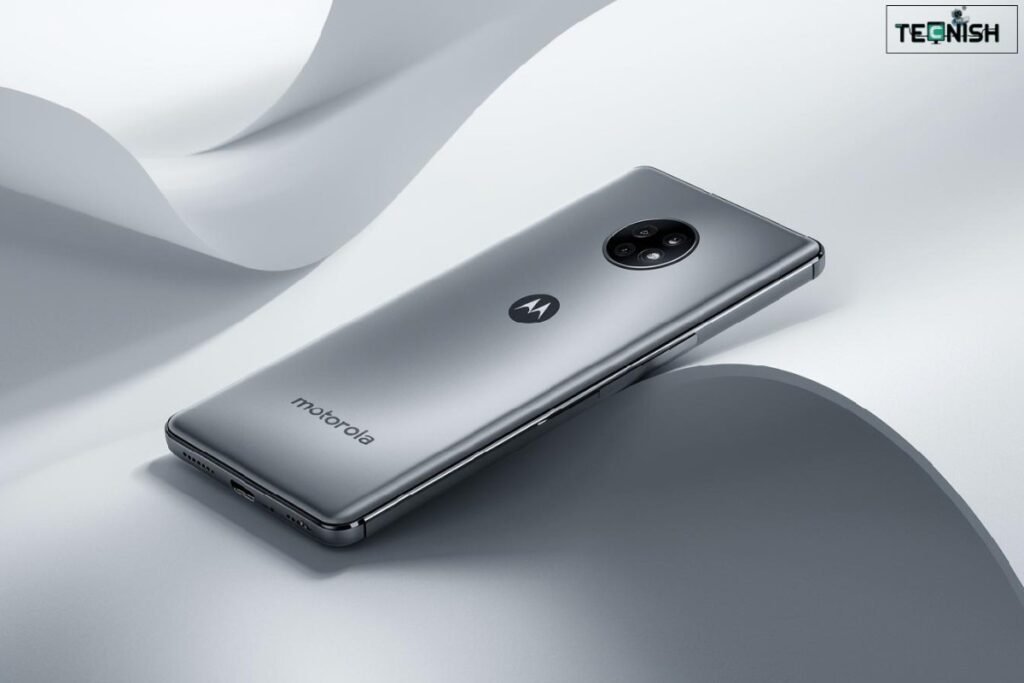
Motorola Signature design is simple and clean. There are no unnecessary decorations or complex shapes. Everything has a purpose.
This minimalism makes the phone look modern and timeless. It also makes it easier to use, especially for people who prefer clarity over style.
Color Options and Finish
Motorola often offers unique and soft color options. From calm blues to elegant greens, the colors are chosen carefully.
Some models use vegan leather finishes that feel good in hand and resist fingerprints. These small details add to the Signature feel.
Comfort and Durability
Motorola designs phones to survive daily life. Water-repellent coatings protect against small spills, and sturdy builds reduce damage from drops.
Comfort and durability are key parts of Motorola Signature.
Motorola Signature vs Competitors
Comparison with Samsung
Samsung phones often focus on features and customization. Motorola, on the other hand, focuses on simplicity and smoothness.
Motorola Signature in Global Tech News

Motorola Signature has slowly become a talking point in global tech news, especially as users grow tired of complicated software and expensive smartphones. In recent months, many tech analysts have highlighted Motorola’s strategy of going back to basics—focusing on usability instead of overloading phones with features people rarely use.
Several news reports point out that Motorola’s Signature approach aligns well with current market trends. Users now want phones that last longer, stay smooth over time, and do not slow down after updates. Motorola Signature devices often perform better in long-term usage tests compared to heavily customized Android phones.
Another important news angle is Motorola’s growing presence in emerging markets. Countries where users want affordable yet reliable smartphones are seeing increased Motorola sales. The Signature experience plays a big role here because it offers quality without confusion.
Motorola Signature as a Brand Identity
Motorola Signature is not limited to phones alone. It reflects Motorola’s overall brand identity. From packaging to customer support, Motorola tries to keep things simple and friendly.
When you open a Motorola phone box, you usually find minimal packaging, clear instructions, and no unnecessary extras. This clean presentation is part of the Signature style. Motorola wants users to feel relaxed, not overwhelmed.
Customer support also reflects this identity. Motorola often provides straightforward solutions instead of complex troubleshooting steps. This brand consistency builds trust and loyalty over time.
Motorola Signature and User Feedback
User feedback plays a big role in shaping Motorola Signature. Motorola actively listens to customer reviews and online discussions. Many software updates are based on real user complaints and suggestions.
For example, Motorola has improved camera performance, battery optimization, and update speed after listening to users. This shows that Motorola Signature is not fixed—it evolves based on real needs.
Online forums and social media often show positive feedback from users who switched from other brands. Many say Motorola phones feel “lighter,” “faster,” and “less stressful” to use.
Motorola Signature for Students and Young Users
Motorola Signature is also a good fit for students and young users. The clean interface helps students focus on tasks like studying, online classes, and communication.
Battery life is another big advantage. Students do not always have access to charging points, and Motorola’s long-lasting batteries help them stay connected throughout the day.
The phones are also durable and affordable, which is important for younger users who want value for money.
Motorola Signature and Sustainability
Sustainability is becoming more important in tech news, and Motorola Signature supports this idea in quiet ways. Motorola uses minimal packaging, reduces unnecessary accessories, and focuses on longer-lasting devices.
By offering clean software that does not slow down quickly, Motorola encourages users to keep their phones longer. This reduces electronic waste and supports a more sustainable tech lifestyle.
Some Motorola devices also use recycled materials, showing the company’s commitment to responsible manufacturing.
Hidden Features That Define Motorola Signature
Many Motorola Signature features are hidden gems. They are not advertised loudly, but they make daily use better.
Examples include:
- Smart audio tuning that adjusts sound automatically
- Adaptive brightness that learns your habits
- One-handed mode for easier use
These features work quietly in the background. You may not notice them at first, but over time, you feel the difference.
Motorola Signature and Long-Term Use
One of the strongest advantages of Motorola Signature is long-term performance. Many users report that their Motorola phones still feel smooth after years of use.
This happens because of:
- Clean Android software
- Fewer background processes
- Smart memory management
In contrast, some phones become slower over time due to heavy customization. Motorola Signature avoids this problem.
News Tips: How to Spot a True Motorola Signature Device
If you are reading tech news or shopping online, here are some quick tips to identify a true Motorola Signature device:
- Look for “near-stock Android” mentions
- Check for Moto Actions and Moto Display
- Avoid models overloaded with third-party apps
- Read long-term user reviews
These signs usually indicate a genuine Signature experience.
Motorola Signature and 5G Technology
Motorola Signature phones have embraced 5G in a practical way. Instead of focusing only on speed numbers, Motorola ensures stable connections and efficient power usage.
Many Motorola 5G phones offer strong network performance without draining the battery too fast. This balanced approach fits perfectly with the Signature philosophy.
As 5G networks expand globally, Motorola Signature devices are expected to become even more popular.
Motorola Signature: Who Should Buy It?
Motorola Signature is ideal for:
- Users who want simplicity
- People tired of heavy software
- Buyers looking for value for money
- Professionals who need reliability
- Students and first-time smartphone users
If you want a phone that feels calm and dependable, Motorola Signature is worth considering.
Extended Final Conclusion
Motorola Signature is not about chasing trends or copying competitors. It is about staying true to what matters most—ease of use, reliability, and thoughtful design. In a world full of complicated technology, Motorola Signature feels like a breath of fresh air.
Through clean Android software, practical features, strong battery life, and user-focused design, Motorola continues to prove that simple can be powerful. News trends show that more users are appreciating this approach, especially as smartphones become an essential part of daily life.
If you are looking for a smartphone experience that feels natural, smooth, and stress-free, Motorola Signature stands as a strong and trustworthy choice.
FAQs
1. Is Motorola Signature good for long-term use?
Yes, it is designed to stay smooth over time.
2. Does Motorola Signature include bloatware?
No, it usually has very few extra apps.
3. Are Motorola Signature phones good for battery life?
Yes, battery performance is one of their strengths.
4. Is Motorola Signature suitable for older users?
Yes, the simple interface is easy to understand.
5. Will Motorola Signature improve in the future?
Yes, Motorola continues to refine and improve the experience.